
What Temperature Should You Use to Heat Press DTF Transfers?
Quick Answer: Most DTF transfers press at 300–325°F (150–163°C) with medium-to-firm pressure for 10–15 seconds. Pre-press the garment for 2–3 seconds first to remove moisture and wrinkles. Exact settings shift slightly depending on your fabric type and whether you're using hot-peel or cold-peel film — see the breakdown below.
Standard Baseline Settings
| Setting | Recommended Range |
|---|---|
| Temperature | 300–325°F (150–163°C) |
| Pressing time | 10–15 seconds |
| Pressure | Medium to firm (press should close with noticeable resistance) |
| Pre-press | 2–3 seconds, no transfer, to remove moisture and wrinkles |
These are baseline numbers for a standard cotton or cotton-blend garment. Always check your specific film manufacturer's recommendations first, since ink and adhesive formulations vary slightly between suppliers.
Settings by Fabric Type
| Fabric | Temperature | Notes |
|---|---|---|
| Cotton / cotton-blend | 300–325°F | The standard baseline — most forgiving fabric to work with |
| Polyester / performance wear | 270–290°F | Lower temperature prevents dye migration, where dye bleeds into the print from underneath |
| Heavier fabrics (canvas, fleece, hoodies) | Same temp, +1–2 seconds | Add pressing time rather than raising temperature to avoid scorching the surface |
| Dark or 100% synthetic blends | 280–300°F | Test on a scrap piece first — synthetic content is more heat-sensitive |
Hot Peel vs. Cold Peel: Why It Changes Your Settings
DTF film comes in two types, and the difference affects your workflow, not just your temperature:
- Hot-peel film is designed to be peeled immediately after pressing, while the transfer is still warm — commonly used in the 310–325°F range and favored for faster production speed.
- Cold-peel film requires the garment to cool completely before peeling. This gives a slightly more forgiving temperature window but adds wait time between pressing and peeling.
Check your film packaging or supplier spec sheet before you start a batch — pressing a cold-peel film like a hot-peel one (peeling too early) is one of the most common causes of a design lifting or tearing right off the garment. Our Hot Peel vs Cold Peel DTF Film guide covers how to tell them apart and when to use each.
How Much Pressure Do You Actually Need?
DTF adhesive needs firm, even pressure to bond properly — too light, and edges peel; too heavy, and the print can flatten or lose texture. As a practical test: the press should close with noticeable resistance, not swing shut easily. If you're pressing thicker items like hoodies or tote bags, add a second or two of time rather than cranking up the pressure, which can distort the garment or the print.
Common Heat Press Mistakes and Quick Fixes
| Symptom | Likely Cause | Fix |
|---|---|---|
| Design peels at the edges | Too little pressure or time | Increase pressure first; add 1–2 seconds if that doesn't fix it |
| Scorched or discolored fabric | Temperature too high, or pressed too long | Lower temperature by 10–15°F before adding more time |
| Colors look dull or bled | Dye migration on polyester at high heat | Drop to 270–290°F and confirm with a test press |
| Print looks flattened or cracked | Too much pressure | Ease off pressure slightly — firm resistance is enough |
Frequently Asked Questions
What temperature is too hot for DTF transfers?
Going much above 325°F on cotton, or above roughly 300°F on polyester, increases the risk of scorching the fabric or triggering dye migration. If you're seeing discoloration, lower the temperature before adjusting anything else.
How long should you press a DTF transfer?
10–15 seconds is standard for most garments at the recommended temperature range. Heavier fabrics may need an extra 1–2 seconds, but it's better to extend time slightly than raise temperature past the safe range for that fabric.
Do I need a different setting for polyester?
Yes — polyester and performance fabrics should be pressed cooler, generally 270–290°F, to avoid dye migration, where dye from the fabric bleeds up into the print and discolors it, especially on darker garments.
Can I use these settings with any DTF printer or film brand?
These ranges work as a reliable starting point across most standard DTF films, but always check your specific film manufacturer's spec sheet first, since ink and adhesive formulations vary. Run a test press on a scrap piece of your actual fabric before starting a full batch.
Getting consistent, durable presses starts with the right equipment.
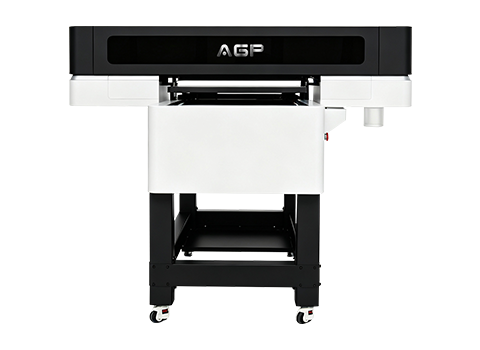
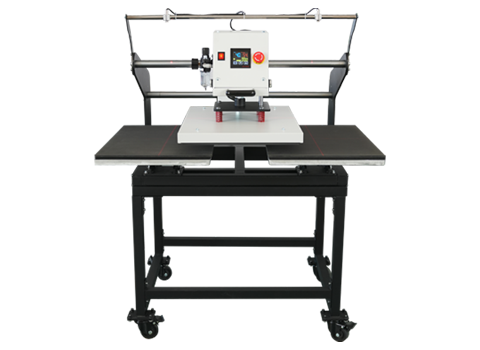
See how AGP's heat press and DTF film options are built for consistent results.
Heat Press H4060-2 | Hot vs Cold Peel Film Guide | Talk to Our Team