


Golf Balls
Quick answer: Golf balls have dimpled, curved, and slick synthetic surfaces (Surlyn or Urethane), making traditional pad printing costly for short runs. Using a UV flatbed printer with a multi-ball jig allows direct digital printing of crisp, multi-color logos with zero plate setup time. For full 360-degree graphics or spherical novelty balls, UV DTF transfers provide a flexible alternative. Both methods deliver vibrant, scratch-resistant, and high-impact graphics suitable for personal use, corporate gifting, or retail merchandise.
Custom golf balls represent one of the highest-margin categories in personalized sports gear and corporate promotional merchandise. However, printing on golf balls presents unique technical challenges due to their spherical curvature, dimpled texture, and slippery resin coatings. Understanding the differences between direct UV flatbed printing and UV DTF transfer applications helps print shops choose the right workflow for their production volume.
Why Digital UV Printing Beats Traditional Pad Printing for Golf Balls
For decades, pad printing has been the industry standard for mass-producing branded golf balls. While pad printing excels at ultra-high-volume single-color runs (1,000+ units of the same design), it requires physical steel plates, solvent inks, and lengthy setup times. This makes short runs, multi-color logos, or personalized names highly inefficient and expensive.
Digital UV printing technology eliminates physical plates entirely. Designs are sent directly from RIP software to the printer, enabling print shops to offer low minimum order quantities (MOQs) or customized variable data (such as player names or individual numbers) in a single batch.
| Factor | Traditional Pad Printing | Direct UV Flatbed Printing | UV DTF Transfer Sticker |
|---|---|---|---|
| Best Order Volume | Mass production (1,000+ identical units) | On-demand batches & variable data (1–500 units) | Small sample runs & complex 360° wraps |
| Color Capability | Limited spot colors (requires separate plates) | Full CMYK + White + Gloss Varnish in 1 pass | Full CMYK + White + Embossed 3D textures |
| Setup Time & Cost | High plate creation cost and long manual setup | Zero plate cost; instant software job dispatch | Zero plate cost; requires manual transfer positioning |
| Curved Surface Coverage | Flat logo area (up to 20mm–22mm diameter) | Focal area limit (up to 22mm–25mm diameter) | Full coverage across extreme curves and spheres |
| Impact Durability | Extremely high (chemical solvent bond) | High (requires alcohol cleaning / plastic primer) | Medium to high (ideal for novelty/display use) |
Step-by-Step: Direct UV Printing on Golf Balls
To produce clean, sharp prints on golf balls without ink misting or misregistration, follow this standardized five-step direct flatbed workflow:
- Clean the ball surface: Factory golf balls often carry wax, dust, or mold-release oils. Wipe the print area thoroughly with Isopropyl Alcohol (IPA) to ensure optimal ink adhesion.
- Apply plastic primer (for heavy play): For tournament-grade durability or slick urethane covers, apply a thin layer of specialized plastic adhesion promoter and let it air-dry for 30 seconds.
- Load balls into a dedicated multi-ball jig: Place golf balls into a custom acrylic or 3D-printed jig on the printer vacuum table. Custom jigs maintain exact alignment for 12, 24, or 48 balls and prevent rolling during movement.
- Calibrate printhead clearance height: Set the printhead height gap precisely 1.5mm to 2.0mm above the highest point (apex) of the balls. Ensure your graphic diameter does not exceed 22mm to prevent focal drop-off on the curves.
- Print with CMYK + White + Varnish: Dispatch the print job with a solid white ink undercoat to block background color, followed by CMYK colors and an optional gloss varnish topcoat for high impact resistance under instant 395nm LED-UV curing.
Pro Tips for High-Yield Golf Ball Production
- Use precise origin templates: Align your RIP software graphics layer to match your physical jig layout exactly to avoid off-center printing.
- Keep logos within the focal sweet spot: Because the printhead height is flat and golf balls are spherical, keeping graphic widths within 20mm–25mm prevents ink spray dispersion on the curved edges.
- Maintain white ink circulation: Ensure your printer's white ink agitation system is running to prevent titanium dioxide settling, which guarantees bright, opaque white backgrounds on yellow or dark balls.
- Consider UV DTF for complex full-wraps: If a customer demands 360-degree seamless coverage around the entire ball, print onto UV DTF film first, then press and peel the transfer manually.
Where This Fits in Your Shop's Workflow
Adding golf ball printing to your commercial offerings requires minimal extra hardware beyond your standard flatbed setup. The core requirement is a reliable UV flatbed printer capable of fine drop-volume precision and white ink jetting, paired with an inexpensive multi-cavity golf ball jig.
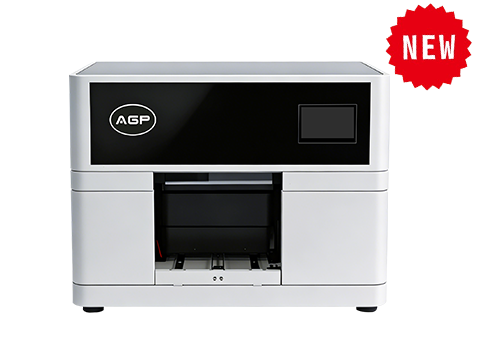
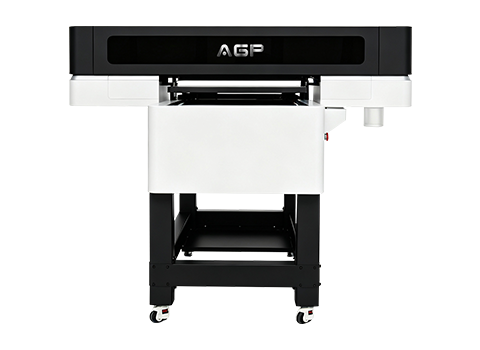
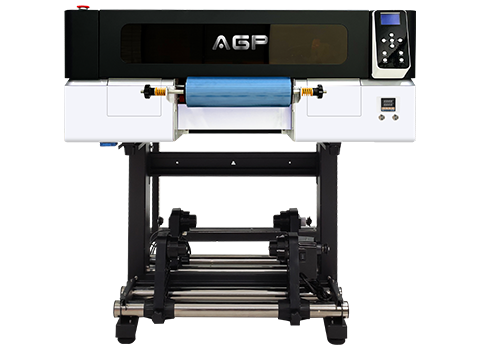
AGP's industrial printer lineup—including the compact AGP UV3040 for small studios and sample work, and the commercial AGP UV6090 for higher volume batch production—delivers the micro-droplet accuracy ($3.5\text{ pl}$) and adjustable height clearance needed for golf balls, promotional items, and hard goods customization.
Frequently Asked Questions
Can you print directly on a golf ball with a UV flatbed printer?
Yes. By placing the golf balls in a custom multi-hole jig and calibrating the printhead clearance gap 1.5mm–2mm above the top curve, a UV flatbed printer can jet full-color graphics directly onto the ball surface.
Will direct UV printed graphics survive actual golf play?
Yes, when the surface is properly pre-cleaned with Isopropyl Alcohol and treated with a plastic adhesion primer. For extra durability against dirt, grass, and club strikes, applying a clear UV varnish coat is recommended.
What is the maximum printable logo size on a standard golf ball?
Due to the curvature of standard golf balls ($42.67\text{ mm}$ diameter), the optimal flatbed print area is between 20mm and 25mm in diameter. Printing wider than 25mm may result in slight ink blur along the outer edges.
Should I use direct UV printing or UV DTF transfers for golf balls?
For standard corporate logos and fast batch production, direct UV flatbed printing with a jig is faster and more cost-effective. For full-wrap designs, irregular promotional balls, or display pieces, UV DTF transfers offer greater flexibility.
Do I need a special printer specifically for golf balls?
No. The same UV flatbed printer used for phone cases, keychains, acrylic blocks, and wooden plaques can print golf balls simply by adding a golf ball jig holder.