
UV Printer Running Costs: Ink, Primer, Maintenance, Downtime
A UV printer's purchase price is paid once; its running costs are paid every month for as long as you own it — and four of them decide whether the machine earns or merely operates.** Ink per square metre, primer, maintenance and downtime are invisible on any quotation, and every one of them is larger on UV than on the textile processes most shops come from.
This page breaks down the four lines, gives the arithmetic for estimating each from your own job mix, and lists what to request from a supplier before you commit.
Quick Action Plan: Four Numbers to Establish First
- Ink per m² at your coverage — with white and varnish counted separately, because they often double the figure.
- Primer coverage per m² — required on glass, bare metal and many plastics; not needed on coated surfaces.
- Maintenance minutes per week — daily purge, weekly flush, monthly inspection.
- Downtime exposure — the parts most likely to fail and how long each takes to reach you.
The Four Lines
| Line | What drives it | How it scales | Typical blind spot |
|---|---|---|---|
| 1. Ink | Coverage, white and varnish usage, head efficiency | Per m² | Counting only CMYK and forgetting white + varnish |
| 2. Primer and pre-treatment | Substrate type — glass and bare metal need it, coated board does not | Per m² on treated jobs | Quoting a glass job without primer in the cost |
| 3. Maintenance | Purge frequency, cleaning discipline, ink shelf life | Per week, fixed | Skipping it, then paying for a head |
| 4. Downtime | Part availability, your diagnostic capability | Per event | Never estimated, always expensive |
Notice the shape of it: ink and primer scale with what you print, maintenance and downtime scale with how you run it. A shop printing little but maintaining badly spends more on lines 3 and 4 than on lines 1 and 2.
Line 1: Ink, and Why White Changes the Maths
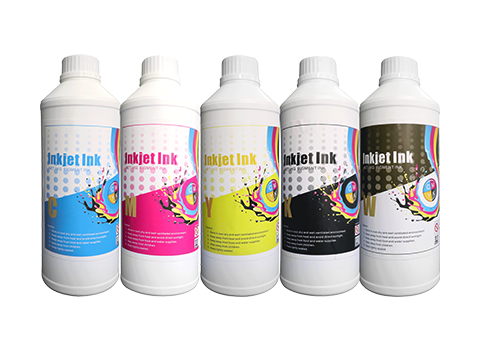
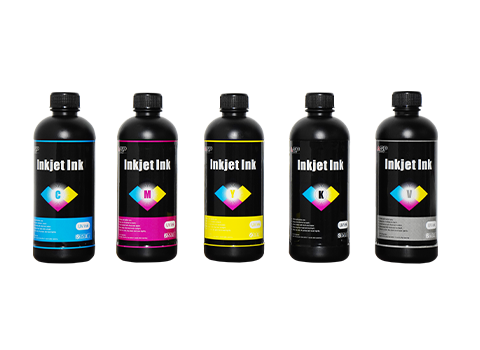
UV ink consumption depends on coverage and on how many channels are laying down ink. Colour alone is one thing; colour plus an opaque white base plus a clear varnish is roughly double to triple the deposit on the same area.
Three practical consequences:
White is the expensive channel. Any job on a dark or transparent substrate needs a white base, and white is deposited heavily to achieve opacity. When you estimate cost per m², estimate it per job type — "colour on white board" and "colour with white on black acrylic" are not the same job and should not share a cost figure.
Varnish is a cost and a benefit. A clear coat roughly doubles abrasion resistance and slows UV fading, at the cost of an extra pass and extra ink. On anything that will be handled, it is usually worth it; on indoor display pieces it sometimes is not.
Film thickness is a setting, not a constant. Most operators run heavier ink than necessary because it looks better immediately. Calibrating to the thinnest film that meets the durability requirement is the single largest ink saving available, and it costs nothing but a test print.
Line 2: Primer — the Line That Decides Whether the Job Works
Primer is not a cost you can skip to improve margin. On glass, bare aluminium, stainless steel and many plastics, it is what makes the print adhere at all. Skipping it does not save money; it produces a job that fails in the customer's hands and costs you a reprint plus a reputation.
| Substrate | Primer | What happens without it |
|---|---|---|
| Coated / painted metal | Not needed | Adhesion is good — the coating is the primer |
| Bare aluminium, stainless | Required | Ink lifts at edges under abrasion |
| Glass | Required | Print wipes off with a damp cloth |
| Acrylic | Not needed | Accepts ink directly |
| PVC foam board | Not needed | Warps before it delaminates |
| Polypropylene / polyethylene | Specialised treatment | Nothing adheres |
The estimation rule: count the share of your jobs that need primer, and add a primer line to those jobs only. Shops that print mostly signage board often carry no primer cost at all; shops doing glass and industrial marking carry it on most work.
Line 3: Maintenance — Cheap Done Daily, Expensive Done Never
UV ink cures under light. That is the whole technology, and it is also the whole maintenance problem: ink left in a head, a damper or on a cap top will cure there and block permanently.
| Task | Frequency | Time | What it prevents |
|---|---|---|---|
| Nozzle check and purge | Daily, before first job | 5–10 min | Clogged nozzles and deflected jets |
| Cap top and wiper clean | Daily | 5 min | Dried ink sealing the head |
| Printhead surface wipe | Weekly | 10 min | Ink buildup and mist contamination |
| Ink system flush | Monthly, or after idle periods | 30–60 min | Settled pigment in lines and dampers |
| Lamp lens clean | Weekly | 5 min | Under-curing that you blame on the ink |
| Filter and fan check | Monthly | 15 min | Overheating and dust ingress |
The idle trap is the one that catches new owners. A UV machine that sits unused for two weeks is not "resting" — it is accumulating cured ink. If your order pattern is bursty, either run a daily purge cycle regardless of production, or accept that idle time costs you heads.
Line 4: Downtime — the Line Nobody Estimates
Downtime is the product of two numbers: how often something fails, and how long it takes to fix. The first you cannot control much. The second you can control almost entirely, and it is where supplier choice shows up in your accounts.
| Component | Typical life | Failure symptom | Cost of the wait |
|---|---|---|---|
| Printhead | 12–24 months in production | Missing nozzles, deflection, banding | Highest — production stops |
| UV lamp / LED module | 2,000–5,000 hours | Soft or tacky output, slow cure | Gradual — throughput drops silently |
| Ink pump / dampers | 12–18 months | Starvation, air in lines, weak colour | Medium |
| Capping station | 12–24 months | Head dries when parked | Medium to high |
How to put a number on it: estimate one unplanned stop per quarter, multiply by the days required to receive the most likely part, multiply by your daily contribution margin. If that figure exceeds your monthly ink spend, your spare-parts plan is the most valuable thing you can improve — and it is a decision you make before you buy, not after.
The ROI Formula
Monthly contribution = (m² printed × margin per m²) − (ink + primer + maintenance)
Payback (months)     = Total acquisition ÷ Monthly contribution
Two inputs must come from you, and both are usually overestimated:
- m² printed — use 50–60% of capacity for month one. UV machines degrade when idle, so an optimistic volume assumption does not just distort the payback, it distorts the maintenance budget too.
- Margin per m² — your selling price minus consumables minus labour. Decorated rigid substrates carry wide margins; commodity signage does not. Use your actual local price, not a vendor example.
Run it at three volumes. If the pessimistic case does not pay back within your planning horizon, the machine is oversized for the business — which is a finding, not a failure.
What to Request From a UV Supplier
| Ask for | Why | |
|---|---|---|
| 1 | Ink consumption per m² at stated coverage, white and varnish separate | Line 1 |
| 2 | Primer recommendation and coverage per m² by substrate | Line 2 |
| 3 | Recommended daily and weekly maintenance schedule | Line 3 |
| 4 | Expected head, lamp and damper life in production hours | Line 4 |
| 5 | Which parts you should hold, and shipping time for each | Line 4 |
| 6 | What installation and operator training include | Month-one labour |
| 7 | Two references printing similar substrates | Reality check |
| 8 | Sample prints on your actual substrate | The only real adhesion test |
Frequently Asked Questions (FAQ)
What are the ongoing costs of running a UV printer?
Four lines: ink (per m², higher when white and varnish are used), primer (only on substrates that need it), maintenance (fixed weekly time and cleaning consumables), and downtime (part cost plus lost production). Ink and primer scale with output; maintenance and downtime scale with discipline and supply chain.
Why is UV printing more expensive per square metre than DTF?
Because UV deposits more ink per area — particularly white and varnish — on substrates that often need primer, and because the machine's consumables (heads, lamps) are more expensive to replace. DTF uses cheaper consumables on cheaper media; UV sells into higher-value applications.
How much ink does a UV printer use per square metre?
It depends on coverage and on whether white and varnish are used — a colour-only job on white board uses a fraction of what a white-based job on dark acrylic does. Ask any supplier for consumption at a stated coverage and per job type; a single blended figure is not useful for pricing.
How often should I clean a UV printhead?
Daily purge and cap-top clean before the first job, weekly surface wipe, monthly flush. The rule is simple: ink that cures in the head cannot be cleaned out, only replaced. Daily discipline is the difference between a head that lasts two years and one that lasts six months.
What happens if a UV printer sits unused for weeks?
Ink settles and cures in the lines, dampers and cap top, and the first job back will show missing nozzles or a blocked channel. Run a daily purge cycle even with no production, or accept that idle periods cost you consumables and eventually a head.
Get the Four Numbers for Your Substrate Mix
Send us your substrate list, average job size and monthly area, and we will return ink and primer consumption estimates, a maintenance schedule and the spare kit we recommend for that duty cycle.