
Common DTF Printer Problems and How to Fix Them for Optimal Performance
Quick Summary: Most common DTF printer issues stem from 1. Printhead clogging & ink deflection, 2. White ink channel drops or sedimentation, 3. PET film feeding misalignment & horizontal banding, and 4. Poor powder curing or heat transfer peeling. Operators can resolve 90% of operational faults by performing daily nozzle test cleans, maintaining white ink agitation/circulation pumps, adjusting film feed tension, and verifying heat press temperature and pressure matrix settings.
Direct-to-Film (DTF) printers are powerful tools for garment customization, but like all precision ink-jet hardware, they require systematic troubleshooting when faults occur. Down-time costs money. This comprehensive troubleshooting guide covers the most frequent DTF hardware, ink-flow, and transfer errors—along with practical, step-by-step solutions to restore optimal performance.
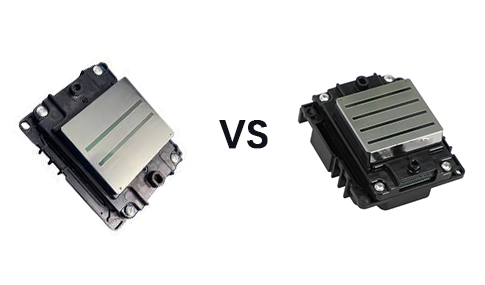
How Do You Fix DTF Printhead Clogging and Missing Ink Channels?
Conclusion: Printhead clogging is caused by dried pigment ink in the nozzles, air pockets in the dampers, or a dirty capping station; resolving it requires software head cleans, damper priming, and capping station maintenance.
When your daily nozzle check shows missing lines or misdirected ink spray, execute the following escalation steps:
- Software Head Cleaning Cycle: Perform 1 to 2 standard head cleaning cycles via RIP software. Avoid running more than 3 consecutive heavy cleans to prevent printhead overheating.
- Clean Capping Station and Wiper Blade: Wipe residual ink and lint build-up off the rubber wiper blade and cap top edge using lint-free swabs saturated with specialized cleaning solution.
- Damper Air Purging: Use a syringe to gently draw ink through the damper to eliminate trapped air bubbles that cause ink starvations during high-speed printing.
Why Is White Ink Clogging or Printing Inconsistent, and How to Resolve It?
Conclusion: Titanium dioxide in white ink settles quickly, causing white channel dropouts and dull prints unless daily ink circulation and bottle agitation are maintained.
1. Enable Auto White Ink Circulation & Agitation
Ensure the printer's white ink circulation pump runs automatically even when idling. Manually shake external white ink tanks for 30 seconds every morning before starting production runs.
2. Flush White Ink Lines Regularly
If white ink density remains thin or chalky after cleaning, perform a partial line flush or replace white ink dampers every 3 to 6 months to remove hardened pigment sediment.
What Causes Horizontal Banding and PET Film Feeding Alignment Issues?
Conclusion: Horizontal lines across prints (banding) stem from dirty encoder strips, incorrect step calibration in RIP, or slippery PET film tension wheels.
Eliminate line streaks and film skewing using these steps:
- Clean the Encoder Strip: Gently wipe the transparent raster encoder strip behind the printhead carriage with isopropyl alcohol to remove dust and ink mist.
- Calibrate Feed Step Values: Adjust the paper feed/step calibration setting in your RIP software if lines appear consistently spaced across the print width.
- Adjust Pinch Roller Pressure: Ensure pinch rollers hold PET film with uniform tension to prevent media slipping or diagonal shifting during roll printing.
DTF Daily Hardware Preventative Maintenance Checklist
✔
Morning Nozzle Test: Run a test pattern print and confirm 100% channel firing before sending production jobs.
✔
Wiper Blade & Cap Clean: Swab the capping station rubber seal and wiper blade with cleaning solution daily.
✔
Maintain Workshop Humidity: Keep print room relative humidity at 40%–60% to prevent ink drying on nozzle plates.
DTF Printer Troubleshooting Quick Diagnosis Matrix
Conclusion: Matching specific print defects to hardware/software causes allows fast recovery and minimal downtime.
| Problem / Symptom | Root Cause | Immediate Fix |
|---|---|---|
| Nozzle check missing CMYK lines | Dried ink clogging nozzle orifices; air in damper | Run RIP software cleaning cycle; purge air from damper using syringe. |
| Weak or watery white ink layer | White pigment settled in tank/lines; pump turned off | Shake white ink tank; enable white ink auto-circulation for 15 minutes. |
| Horizontal white or dark lines (Banding) | Dirty optical encoder strip or inaccurate feed calibration | Wipe encoder strip with alcohol swab; re-calibrate paper step in RIP. |
| Powder sticking to blank non-printed PET film | Static electricity build-up or high workshop humidity | Install anti-static grounding wire on printer; adjust room humidity to 50%. |
| Transfer peels off garment after washing | Under-cured adhesive powder or low heat press pressure | Increase curing oven temp to 125°C; press garment at 150°C for 15s at 4 bar. |
Conclusion: Prevent Downtime with Systematic DTF Maintenance
Most common DTF printing problems are entirely preventable with disciplined daily maintenance routines. Keeping white ink circulating, maintaining clean capping stations, calibrating feed steps, and monitoring curing settings ensures consistent high-quality transfers and extends printhead lifespan. AGP supplies industrial-grade DTF printers featuring automated cleaning caps, white ink circulation systems, and dedicated technical support to keep your print shop running smoothly. Contact our technical team today for hardware troubleshooting assistance.
FAQ: DTF Printer Troubleshooting Questions
1. Why is ink pooling or smudging on my PET film during printing?
Ink pooling occurs when total ink limits in your RIP software exceed what the PET film coating can absorb, or when the printer platen heater is turned off. Reduce RIP ink limits (CMYK ink density) slightly and ensure platen pre-heating is set to 35°C–40°C.
2. What should I do if the head cleaning function does not unblock missing nozzles?
If automatic cleans fail, perform a manual printhead cap soak: gently fill the capping top with DTF cleaning solution and park the printhead carriage over it for 20–30 minutes to dissolve stubborn dried pigment, then run a light clean.
3. How do I stop static electricity from attracting powder to blank film areas?
Ground your DTF printer using an anti-static wire connected to a metal grounding rod. Maintaining room humidity between 45% and 60% and using anti-static PET film also prevents stray powder buildup on unprinted film sections.
4. How often should DTF ink dampers and cap tops be replaced?
Replace ink dampers every 3 to 6 months to prevent micro-clogs and air leaks. Cap tops and rubber wipers should be replaced every 6 to 12 months depending on daily print volume to maintain proper vacuum sealing during nozzle cleans.