

Printing on Leather: Heat Transfer vs UV, and Which Leathers Fail
Leather printing fails for one of two reasons: the heat was too high for the material, or the leather flexes where the print sits. Both are predictable, and both are avoidable if you know which leather you are working with.
Real leather, PU (polyurethane) and PVC behave very differently under a heat press and under UV ink. A process that produces a durable print on a finished cowhide will destroy a PU jacket. This page separates the three material types, gives the process that fits each, and lists the failures that keep appearing in the same order every time.
Quick Action Plan: Identify the Leather First
- Finished / coated real leather → heat transfer (DTF) at low temperature, or UV direct. Both work; test adhesion first.
- PU synthetic leather → low-temperature transfer only. Standard press temperatures melt and glaze it.
- PVC synthetic leather → heat is usually not an option; UV direct or UV DTF.
- Suede, nubuck, oiled or unfinished leather → expect failure. Texture and oils prevent adhesion, and prints crack at flex points.
Three Materials, Three Behaviours
| Material | Heat tolerance | UV adhesion | Best process | Main failure |
|---|---|---|---|---|
| Finished cowhide / calf | Good to ~130°C | Good with prep | DTF heat transfer at 120–130°C | Cracking at flex creases |
| Aniline / unfinished leather | Poor — surface marks permanently | Fair | UV direct, tested | Ink absorbs unevenly; patchy colour |
| PU synthetic | Low — glazes and melts above ~120°C | Good | Low-temp transfer or UV | Glossy burn mark; delamination |
| PVC synthetic | Poor — releases plasticiser, can deform | Fair | UV direct / UV DTF | Print lifts; plasticiser migrates under ink |
| Suede / nubuck | Fair | Poor — texture blocks contact | Not recommended | Patchy, fibrous, cracks immediately |
| Oiled / waxed leather | Fair | Poor — oils repel ink and adhesive | Not recommended without degreasing | Adhesion failure within days |
The single most useful test: press a scrap of the customer's actual material at the temperature you plan to use, for the dwell time you plan to use, then fold it sharply and look at the crease. If it cracks at the fold, the job will fail in the customer's hands.
Heat Transfer (DTF) on Leather
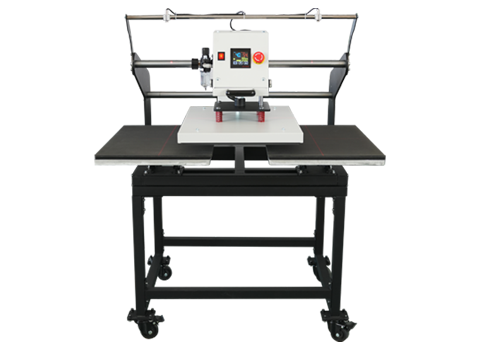
DTF works on leather because the hot-melt adhesive bonds to the finished surface. What changes versus fabric is the temperature ceiling: leather is far more heat-sensitive than cotton, and PU especially will glaze, shine or deform above roughly 120°C.
Recommended settings, to be verified on your material:
| Parameter | Real leather (finished) | PU synthetic | PVC synthetic |
|---|---|---|---|
| Press temperature | 120–130°C | 110–120°C | Heat not recommended |
| Dwell time | 8–12 seconds | 6–10 seconds | — |
| Pressure | Light to medium | Light | — |
| Peel | Warm | Cold | — |
| After-press | Cool flat, no folding for 24h | Cool flat | — |
Two operational notes that come up constantly:
- Always use a protective sheet. Direct contact with a dirty press platen transfers marks that cannot be removed from leather.
- Never re-press to "fix" a corner. Leather marks permanently under repeated heat; a second press creates a visible halo.
UV Direct on Leather
UV printing on leather works on finished, smooth surfaces, and it wins where heat is impossible — PVC, heat-sensitive PU, and thick leather goods that will not fit in a press.
The constraint is flexibility. UV ink cures to a hard film, so a print across a shoe vamp or a jacket elbow will crack. Design accordingly: keep printed areas small, avoid placing them across flex lines, and prefer placement on panels that stay flat.
Adhesion on leather is variable because leather is a natural material — the finish, the tanning process and the oil content all affect it. Test every batch. A supplier who changes tannery can change your adhesion without telling you.
Where Prints Crack, and Why
Cracking is the dominant failure mode on leather, and it is almost never the ink's fault. Three causes, in order:
- Printing across a flex line. The leather flexes, the ink film does not. No ink survives repeated 180° folding — design the placement to avoid it.
- Over-curing. Too much heat makes the ink film brittle. On leather the margin between "cured" and "brittle" is narrower than on fabric.
- Wrong ink type for the material. Textile DTF powder on a PVC surface gives good initial adhesion and poor flexibility; UV ink on soft PU gives excellent colour and immediate cracking.
Design Rules That Prevent Most Complaints
- Keep prints off flex lines — elbows, knees, ankle collars, the vamp of a shoe.
- Avoid large solid areas on soft leather — the film stiffens the drape and the edge becomes a wear point.
- Round the corners of the artwork — sharp corners are where lifting always starts.
- Tell the customer the maintenance rule in writing — no solvent cleaners, no soaking, no machine washing.
- Sample on the customer's material, every time — leather varies by batch, and a sample from stock proves nothing about their hides.
Frequently Asked Questions (FAQ)
Can you heat press leather?
Yes, at reduced temperature. Finished real leather tolerates roughly 120–130°C for 8–12 seconds. PU synthetic glazes and deforms above about 120°C, and PVC usually should not be heat pressed at all.
Can you print on leather with a UV printer?
Yes, on finished and smooth leather. Adhesion varies with the finish and oil content, so every batch should be tested. UV is the better choice for PVC and heat-sensitive PU, but UV ink is a hard film and will crack if printed across flex points.
Why does my print crack on leather jackets?
Three reasons: the print crosses a flex line at the elbow or shoulder, the transfer was over-cured and the film became brittle, or the leather is soft and oiled and the adhesive never fully bonded. Check placement first — it is the most common cause and the cheapest to fix.
Can you print on suede or nubuck?
Not reliably. The fibrous texture prevents full contact between film and surface, so adhesion is patchy and the print lifts or balls up quickly. If a customer requires it, sample first and set expectations in writing.
What temperature should I use for PU leather?
110–120°C for 6–10 seconds at light pressure, cold peel. The margin is narrow: below 110°C the adhesive may not fully activate, above 120°C the PU surface glazes and shows a permanent glossy burn mark.
Test on the Actual Hide Before You Quote
Send us a leather offcut — real, PU or PVC, the exact material your customer supplies — and we will print a sample and tell you which process fits and what will fail. Leather varies by batch, and testing is the only reliable answer.
Send a Leather Sample for Testing