
How to Fix DTF Printer Nozzle Clogging: Causes, Solutions, and Prevention Guide
In the DTF printing industry, maintaining stable printer performance is critical for production efficiency and print quality. Whether you operate a DTF printer for custom apparel, run a DTF transfer printing business, or manage a small DTF printing machine production line, one of the most common technical issues you may encounter is DTF printer nozzle clogging.
When the DTF printhead becomes partially blocked, the result is often missing lines, color inconsistencies, or uneven ink output. In more severe cases, the printer may stop printing entirely, leading to downtime and wasted materials.
From years of experience in digital textile printing, manufacturers like AGP have identified several primary causes of nozzle clogging. These generally fall into four areas: ink characteristics, maintenance habits, environmental conditions, and system or operational problems.
Understanding these factors makes troubleshooting much easier—and helps extend the life of your DTF printer printhead.
Why DTF Printer Nozzles Get Clogged
A DTF printer printhead works by ejecting extremely small droplets of ink through microscopic nozzles. Because these openings are extremely small, even small particles, dried ink, or air bubbles can disrupt ink flow.
Unlike many traditional printing methods, Direct to Film printing relies heavily on white ink circulation, which introduces additional challenges. White ink is thicker than standard CMYK ink and requires proper agitation and circulation to remain stable.
Without proper management, sedimentation, dried ink residue, or debris can easily block the nozzles.
This is why regular DTF printer maintenance is just as important as selecting a high-quality DTF printing machine.
Ink-Related Causes in DTF Printing
Ink is one of the most important factors affecting the reliability of a DTF printing system.
In DTF transfer printing, white ink contains a high concentration of titanium dioxide pigment, which is significantly heavier than other pigments. If the printer remains idle for long periods, the pigment may settle at the bottom of the ink tank. Over time, this sediment can enter the DTF printer ink system and eventually reach the printhead.
Low-quality inks can create additional problems. Some inferior inks contain impurities or unstable chemical formulas, which can cause the solvent to evaporate too quickly. Once this happens, ink residue may begin drying around the printhead nozzles, eventually forming clumps that block ink flow.
Another mistake sometimes seen in DTF printing businesses is mixing inks from different brands. Because each manufacturer uses different chemical compositions, mixing them may trigger unwanted reactions that accelerate coagulation and clog the
DTF printer head.
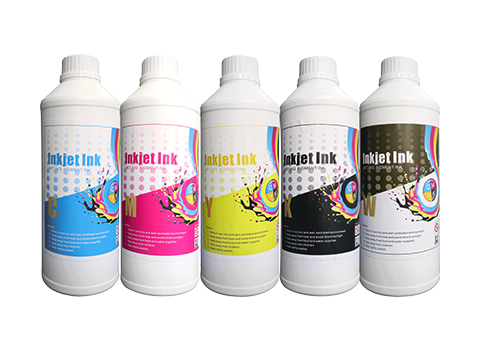
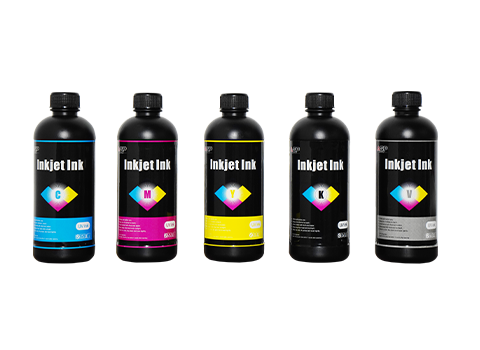
For consistent results, AGP always recommends using manufacturer-approved DTF ink designed specifically for your printer model.
Maintenance Problems That Lead to Printhead Clogging
Many cases of DTF printer clogging are not caused by hardware issues, but by inconsistent maintenance routines.
If the DTF printing machine is powered off without proper printhead protection, the nozzles remain exposed to air. Over time, the remaining ink dries and forms a hardened layer on the nozzle plate.
Another important function often overlooked is white ink agitation. Because white ink tends to settle quickly, modern DTF printers usually include an automatic stirring system. If this feature is disabled, sediment can accumulate and enter the DTF printer ink circulation system, eventually causing blockage.
Additionally, the waste ink pad and filters require periodic cleaning. Dust, lint, and dried ink particles may circulate through the system and reach the printhead if filters are not maintained.
For businesses using high-speed DTF printers in continuous production, scheduled maintenance becomes even more essential.
Environmental Factors Affecting DTF Printer Performance
The working environment plays a surprisingly large role in DTF printer stability.
When humidity levels drop below 40%, the ink can dry faster than normal, increasing the risk of nozzle blockage. On the other hand, extremely high temperatures—especially above 30°C—may cause ink viscosity to rise, making it harder for the DTF printhead to eject droplets smoothly.
Dust is another hidden threat. Workshops with heavy dust or fabric lint can create static electricity, which attracts particles to the surface of the DTF printer head. Once these particles settle on the nozzle plate, they may obstruct the nozzles.
Maintaining a clean and controlled workspace significantly reduces the risk of DTF printer maintenance problems.
Step-by-Step Solutions for Different Levels of Clogging
Not all clogs require the same repair process. In most cases, the severity of the blockage determines the appropriate solution.
Mild Clogging
Early symptoms usually include missing lines in test prints or small color gaps in graphics.
In these situations, start by running the automatic printhead cleaning function from the printer software. Performing two or three light cleaning cycles with short intervals often dissolves dried ink residue.
You can also gently clean the surface of the DTF printhead using a lint-free cloth and specialized cleaning fluid. Always wipe in a single direction to avoid pushing debris back into the nozzles.
Finally, print a DTF nozzle test pattern to confirm whether the problem has been resolved.
Moderate Clogging
If automatic cleaning does not solve the issue, a deeper cleaning process may be required.
The printhead can be removed and cleaned using a reverse flushing method. With the help of a syringe filled with cleaning solution, fluid is carefully injected backward through the nozzles to loosen dried ink deposits.
Another commonly used technique is a warm water soak. The nozzle plate can be placed in purified water at approximately 40–50°C for around 15–20 minutes. This helps soften hardened ink particles without damaging the DTF printer head.
After cleaning, reinstall the printhead and perform another automatic cleaning cycle.
Severe Clogging
When the printer produces no ink output at all, the clog may be more serious.
In such cases, technicians typically soak the printhead in a specialized cleaning solution designed for stubborn ink deposits. This process may take 20–30 minutes, depending on the severity.
If the blockage still cannot be removed, the safest option is to contact the manufacturer—such as AGP—for professional technical support or a DTF printhead replacement.
Attempting aggressive manual cleaning can permanently damage the delicate nozzle structure.
Essential Preventive Maintenance for DTF Printers
Experienced operators in the DTF printing industry often follow a simple principle: prevent problems before they happen.
A few consistent habits can dramatically reduce the risk of DTF printer nozzle clogging.
First, always use high-quality DTF ink and avoid mixing brands. Regularly activate the white ink circulation or agitation system to maintain pigment stability.
Second, establish a routine DTF printer maintenance schedule. Running a quick cleaning cycle and printing a nozzle test each day helps detect issues early. Weekly cleaning of filters and waste ink pads also prevents contamination within the ink system.
Finally, maintain a stable working environment. Ideally, the workspace temperature should remain between 20–28°C, with humidity levels around 40–60%.
Following these steps ensures your DTF printing machine runs reliably for long production cycles.
Final Thoughts
In DTF printing, printhead health determines the overall reliability of the entire production process. While DTF printer nozzle clogging is a common issue, it can usually be avoided through proper ink selection, regular maintenance, and a well-controlled working environment.
If a blockage does occur, it is important to diagnose the severity first and apply the appropriate cleaning method—from simple automatic cleaning to professional servicing.
By following these best practices, businesses can minimize downtime, extend the lifespan of their DTF printer printheads, and maintain consistent output quality in DTF transfer printing production.