
DTF Printer Clogged Nozzles: How to Fix and Prevent Them (Complete Guide)
DTF printer nozzle clogs cause horizontal banding, missing colors, and — in severe cases — head strikes that damage the printhead permanently. Almost all clogs come from the same four causes: white ink pigment settling, ink drying at idle nozzles, low ambient humidity, and infrequent use.
The fix sequence is: (1) print a nozzle check to identify which channels are affected; (2) run a maximum of 2 auto-clean cycles; (3) wipe the nozzle plate with DTF cleaning solution — never IPA; (4) flush stubborn clogs with a syringe; (5) implement a daily maintenance routine to prevent recurrence. For white ink, add: stir the tank every 30–60 minutes and never leave the printer idle for more than 48 hours without a maintenance cycle.
Nozzle clogs are the single most common operational problem in DTF printing. They waste ink, delay production, and — if ignored — escalate into permanent printhead damage. The good news is that 90% of clogs are caused by controllable factors and can be fixed without professional service if you act early and use the right method. This guide covers the complete diagnosis-to-prevention workflow with specific parameters.
Why DTF Printer Nozzles Clog: The Root Causes
Understanding why clogs happen is what allows you to prevent them. DTF ink behaves differently from other inkjet inks, and the white channel behaves differently from CMYK — treating all clogs the same way is one of the most common mistakes operators make.
White ink pigment settling
DTF white ink uses titanium dioxide (TiO2) pigment particles to achieve opacity. These particles are significantly heavier than the organic dye compounds in CMYK inks. In a static ink system, TiO2 particles settle toward the bottom of the ink lines, damper unit, and nozzle channels within hours. When settled particles dry, they form a solid plug that auto-clean cycles cannot dissolve. This is why the white channel clogs far more frequently than any other channel — it is a physics problem, not an ink quality problem.
Ink drying at the nozzle plate
Every DTF printer nozzle is a microscopic opening (typically 20–30 microns in diameter). When the printer is not actively printing, ink at the nozzle face is exposed to air. Water-based DTF ink begins to form a skin within minutes in dry conditions. If the printhead capping station does not seal properly — or the printer sits idle without capping — this dried film blocks nozzles. Even a few hours of open-air exposure can create clogs that require manual cleaning to clear.
Low ambient humidity
At humidity below 35% RH, water-based DTF ink evaporates faster than the capping station can compensate for. This accelerates nozzle plate drying between print passes and during idle periods. Printing in low-humidity environments without climate control is one of the fastest routes to chronic clogging.
Infrequent use
DTF printers are designed to run regularly. A printer left idle for 5–7 days without a maintenance cycle will almost always show multi-channel clogs when restarted. The longer the idle period, the deeper the clog forms in the ink system — reaching into the damper or ink lines, not just the nozzle face.
| Cause | Which channel affected | Speed of onset | Prevention |
|---|---|---|---|
| White ink pigment settling | White only | Hours to days | Stir/circulate white ink every 30–60 min; daily white channel purge |
| Ink drying at nozzle plate | Any channel | Minutes to hours | Cap immediately when idle; replace capping station pad if dried out |
| Low ambient humidity | Any channel; white worst | Hours | Maintain 40–60% RH in print room; use humidifier in dry seasons |
| Infrequent use / long idle | All channels | 3–7 days | Print maintenance nozzle check every 2–3 days; flush before long shutdowns |
| Incompatible or expired ink | Any channel | Immediate to weeks | Use ink matched to your printhead type; check expiry before filling |
Step 1: Diagnose the Clog — Print a Nozzle Check
Never start cleaning before diagnosing. Knowing which channels are affected and how severely tells you which cleaning method to use and saves you from over-cleaning healthy channels.
→
How to print a nozzle check
- In your RIP software (AcroRIP or equivalent): go to Maintenance → Nozzle Check and print.
- Alternatively, use the printer's built-in control panel: Menu → Maintenance → Print Nozzle Check Pattern.
- Print on plain A4 paper — do not waste PET film on diagnostic prints.
- Compare the output against a clean reference pattern (the printer manual or your RIP documentation will show what a perfect pattern looks like).
Reading the nozzle check output
| What you see | What it means | Severity | Action |
|---|---|---|---|
| All lines solid and complete | No clog | Good | Print normally |
| 1–3 lines missing in one channel | Mild clog | Minor | 1–2 auto-clean cycles |
| Multiple lines missing or deflected dots | Moderate clog | Moderate | Manual wipe + soak with cleaning solution |
| Entire channel blank or very few lines | Severe / deep clog | Severe | Syringe flush + 30-min soak; may need damper replacement |
| Dots land in wrong position (deflection) | Partial blockage deflecting ink flow | Moderate | Manual wipe; check for dried ink on nozzle plate edges |
How to Fix DTF Printer Clogged Nozzles: Step-by-Step
1
Run Automatic Head Cleaning (Mild Clogs Only)
Automatic cleaning cycles use the printer's pump to draw ink through the nozzles at higher-than-normal pressure, flushing out minor blockages. This is the right first step for mild clogs — but it has strict limits.
- Run a maximum of 2 consecutive auto-clean cycles. More than 2 in a row wastes significant ink (each cycle uses 2–5ml per channel) without improving results on anything other than mild clogs.
- Print a nozzle check after each cycle. If the pattern is clean after cycle 1, stop.
- If 2 cycles produce no improvement, move to Step 2 — you have a moderate or severe clog that auto-clean cannot resolve.
- For white channel only: run a white-channel-only clean if your RIP supports it. This saves CMYK ink during white-specific maintenance.
Do not run 5–10 consecutive auto-clean cycles in an attempt to force a clog clear. This wastes an entire ink set, can air-lock the ink system, and on some printheads generates enough heat to damage the nozzle plate.
2
Manual Nozzle Plate Wipe (Moderate Clogs)
Manual cleaning targets dried ink on the nozzle plate surface — the area auto-clean cycles cannot physically reach. This is the most effective method for moderate clogs caused by nozzle face drying.
- Power off the printer and move the printhead to the maintenance position (or access it manually per your printer's service manual).
- Dampen a lint-free foam swab or microfiber cleaning stick with DTF-specific printhead cleaning solution. Do not use IPA, water, or household cleaners — these damage the nozzle plate coating.
- Wipe the nozzle plate in one direction only — do not scrub back and forth. One smooth pass per swab.
- Use a fresh swab for each pass. Continue until the swab comes away clean (no ink residue).
- Allow 5–10 minutes for the cleaning solution to dissolve any remaining dried ink at the nozzle openings before wiping again.
- Print a nozzle check after cleaning to verify improvement.
Also clean: While the printhead is accessible, wipe the capping station pad, wiper blade, and flushing box. These components collect ink residue that transfers back to the nozzle plate during capping — a dirty capping station is a recurring source of clogs.
3
Syringe Flush (Severe / Deep Clogs)
A syringe flush pushes cleaning solution directly through the clogged channel, dissolving blockages deep in the damper or ink line that neither auto-clean cycles nor nozzle plate wiping can reach. This is the highest-impact cleaning method available without disassembling the printhead.
What you need:
- DTF printhead cleaning solution (water-based, formulated for pigment inks)
- 10–20ml syringe with a blunt-tip needle or flexible tube fitting to your ink inlet
- Lint-free cloth or waste ink tray positioned under the printhead
Procedure:
- Identify the ink inlet port for the clogged channel (refer to your printer's service diagram).
- Disconnect the ink tube from the damper inlet for that channel.
- Fill the syringe with 5–10ml of cleaning solution. Attach to the inlet port.
- Apply slow, steady pressure — do not force the plunger. You should feel resistance decrease as the blockage dissolves.
- If resistance is very high: stop, allow 15–30 minutes soak time with the cleaning solution sitting in the channel, then try again.
- Continue until the output from the nozzle plate runs clear (no ink color visible in the cleaning solution exiting the nozzles).
- Reconnect the ink tube. Run 1 auto-clean cycle to re-prime the channel with ink.
- Print a nozzle check to verify.
Soak times by clog severity Fresh clog (same-day): 5–10 minutes soak
Moderate dried clog (1–3 days old): 15–30 minutes soak
Severe dried clog (1 week+): 30–60 minutes soak, may need 2 flush cycles
If no improvement after 2 complete flush + soak cycles: damper unit likely needs replacement
Moderate dried clog (1–3 days old): 15–30 minutes soak
Severe dried clog (1 week+): 30–60 minutes soak, may need 2 flush cycles
If no improvement after 2 complete flush + soak cycles: damper unit likely needs replacement
4
Replace Dampers or Printhead (If Cleaning Fails)
If a channel shows zero improvement after two complete syringe flush cycles with adequate soak time, the clog is either in the damper (most common) or the nozzle channels themselves are permanently damaged.
- Replace the damper first. Dampers are consumable components, typically lasting 3–6 months under normal production. A blocked damper cannot be cleaned — it must be replaced. Dampers cost $5–$20 per unit and the replacement procedure takes 15–30 minutes.
- Check the ink filter. Some DTF systems have an inline ink filter between the ink bottle and the damper. A blocked filter restricts flow to multiple channels simultaneously.
- Printhead replacement is the last resort — only consider this if: (a) the damper is confirmed new and clean, (b) multiple flush cycles have failed, and (c) the nozzle check shows no improvement whatsoever. Epson i3200-A1 and i1600 printheads (the most common in AGP DTF printers) cost $150–$400 depending on the model.
Before replacing the printhead: Contact your printer manufacturer or supplier. Many apparent printhead failures are actually damper or ink line issues that cost a fraction of a new head to fix.
Special Case: White Ink Nozzle Clogs
The white channel deserves its own section because it behaves fundamentally differently from CMYK and requires a different maintenance approach.
DTF white ink uses titanium dioxide (TiO2) as its opacity pigment. TiO2 particles are approximately 3–5× denser than the organic pigment compounds in CMYK inks. In a static system, particles begin settling within 1–2 hours. Once settled and dried, TiO2 forms a cement-like plug that cleaning solution dissolves slowly — it is not like flushing a CMYK clog.
White ink clog protocol During production: Stir or activate the white ink agitation system every 30–60 minutes. Most DTF printers with a dedicated white circuit include an agitation motor — ensure it is running.
Daily (start of session): Run 1 white-channel auto-clean before printing, even if yesterday's nozzle check was perfect.
Daily (end of session): Run 1 white-channel purge or maintenance cycle to push settled particles through before capping.
If idle for 48+ hours: Before printing, run 2 white-channel auto-cleans, print a nozzle check, and verify before loading film.
Shutdown for 5+ days: Flush the white channel with cleaning solution, leaving solution (not ink) in the channel during storage. Re-prime with white ink before the next production session.
Daily (start of session): Run 1 white-channel auto-clean before printing, even if yesterday's nozzle check was perfect.
Daily (end of session): Run 1 white-channel purge or maintenance cycle to push settled particles through before capping.
If idle for 48+ hours: Before printing, run 2 white-channel auto-cleans, print a nozzle check, and verify before loading film.
Shutdown for 5+ days: Flush the white channel with cleaning solution, leaving solution (not ink) in the channel during storage. Re-prime with white ink before the next production session.
Never shake a white DTF ink bottle vigorously and pour directly into the tank — this introduces air bubbles into the ink system. Instead, roll the bottle gently to re-suspend pigment, then pour slowly. Air in the white ink line is the second most common cause of white channel dropouts after settling.
DTF Printer Daily Maintenance Schedule
Prevention is significantly cheaper than repair. A consistent daily routine eliminates the vast majority of clogs before they start, and takes less than 10 minutes per session.
| Frequency | Task | Time required | Why it matters |
|---|---|---|---|
| Every session (start) | Print nozzle check; run 1 white-channel auto-clean | 3–5 min | Catches overnight settling before it reaches production film |
| Every 30–60 min (during print) | Stir white ink tank / verify agitation motor running | 1 min | Prevents TiO2 pigment from settling in static ink lines |
| Every session (end) | Run white-channel purge; confirm printhead is capped | 3–5 min | Pushes settled particles through before overnight static period |
| Weekly | Wipe capping station pad, wiper blade, flushing box with cleaning solution | 10–15 min | Dried ink on capping pad transfers back to nozzle plate during capping |
| Every 2–4 weeks | Manual nozzle plate wipe with cleaning solution; inspect dampers | 20–30 min | Removes gradual buildup that auto-clean cannot reach |
| Every 3–6 months | Replace dampers; replace capping station pad if hardened | 30–60 min | Dampers are consumable; worn dampers cause recurring clogs regardless of cleaning |
| Before idle period (3+ days) | Flush white channel with cleaning solution; leave solution in channel during storage | 15 min | Prevents white ink from drying solid in ink lines and dampers during extended idle |
Environment Settings That Prevent DTF Nozzle Clogs
The print room environment directly affects how quickly nozzles clog. Two parameters matter most:
Target print room conditions Temperature: 20–28°C (68–82°F) — below 18°C, ink viscosity increases and flow through nozzles becomes inconsistent; above 30°C, water evaporates from ink faster, accelerating drying at nozzle faces
Humidity: 40–65% RH — below 35%, nozzle face drying accelerates dramatically; above 70%, ink drying on the film slows and adhesive powder may clump
Air circulation: avoid direct airflow (fans, AC vents) pointed at the printhead — moving air accelerates nozzle face evaporation even at correct humidity
Humidity: 40–65% RH — below 35%, nozzle face drying accelerates dramatically; above 70%, ink drying on the film slows and adhesive powder may clump
Air circulation: avoid direct airflow (fans, AC vents) pointed at the printhead — moving air accelerates nozzle face evaporation even at correct humidity
If your shop has dry winters or you are operating in a low-humidity climate, a desktop humidifier near the printer — but not directly blowing on it — is one of the cheapest and most effective clog-prevention investments available.
Frequently Asked Questions
Q: Why does my DTF printer keep clogging?
A: The most common causes are: (1) white ink settling — TiO2 pigment particles sink and dry in nozzles if the printer sits idle; (2) low-quality or incompatible ink that dries faster than the capping station can prevent; (3) printing environment below 35% RH, which accelerates ink drying at the nozzle plate; (4) infrequent use — DTF printers need to run at least every 2–3 days to keep ink flowing.
Q: How do I know if my DTF printer has clogged nozzles?
A: Print a nozzle check pattern from your RIP software or printer control panel. Missing lines, broken segments, or deflected dots indicate clogged or misfiring nozzles. In production, clogs appear as horizontal banding (light stripes across the print) or missing colors in specific areas of the design.
Q: Can I use IPA (isopropyl alcohol) to clean DTF printer nozzles?
A: No. IPA is too aggressive for DTF printheads and can damage the nozzle plate coating and internal components. Always use a DTF-specific printhead cleaning solution formulated for water-based pigment inks. Using the wrong solvent will void your printhead warranty and can permanently damage the head.
Q: How long does it take to unclog a DTF printhead?
A: Mild clogs: 1–2 auto-clean cycles (5–10 minutes). Moderate clogs: manual wipe + 15-minute soak with cleaning solution (30–45 minutes total). Severe or dried clogs: syringe flush with 30-minute soak, repeat flush if needed (1–2 hours). If a channel still shows gaps after two full flush cycles, the damper likely needs replacement before cleaning will be effective.
Q: How often should I clean my DTF printer printhead?
A: Print a nozzle check at the start of every production session. Run one auto-clean only if the check shows gaps — do not run cleaning cycles preventively on healthy channels as this wastes ink. Do a manual wipe-down of the capping station and wiper blade weekly. Full manual printhead cleaning every 2–4 weeks under normal production.
Q: Why is my DTF white ink channel always clogging?
A: White DTF ink uses titanium dioxide (TiO2) pigment particles that are significantly heavier than CMYK pigments. These particles settle and compact in the ink lines, damper, and nozzles much faster than other colors. Fix: stir or circulate the white ink tank every 30–60 minutes during production, run the white channel auto-clean daily, and never leave white ink sitting static in the system for more than 48 hours without a maintenance cycle.
Conclusion
DTF printer nozzle clogs are one of those problems that look complicated but almost always come down to the same small set of causes — and the same systematic fixes. The most important shift is from reactive cleaning (fixing clogs after they appear) to proactive maintenance (preventing them from forming in the first place).
Start every session with a nozzle check. Manage white ink actively during production. Cap the printer immediately when not in use. Maintain 40–65% humidity in the print room. Follow the weekly maintenance schedule. Operators who do these five things consistently report dramatically fewer clogs and longer printhead service life.
If your nozzle clogs are recurring despite consistent maintenance, the problem is usually either incompatible ink or worn dampers — not operator error. Contact the AGP team for diagnostic support and consumable recommendations matched to your specific printer model.
Using Ink That's Matched to Your DTF Printer?
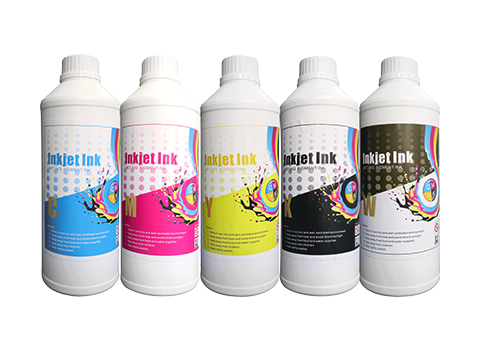
Incompatible ink is the hidden cause of chronic DTF nozzle clogs. AGP DTF pigment inks are formulated for stable flow and low settling rates, matched to AGP printer hardware.
View AGP DTF Pigment Ink →