
Resolving Color Difference Issues in DTF Printers: Causes and Solutions
Quick Summary: Color difference (color shift) in DTF printing stems from four primary root causes: 1. Incorrect ICC color profiles in RIP software, 2. Printhead clogging or air bubbles, 3. Inconsistent ink batches or white ink underbase density, and 4. Heat press temperature/time variations. Resolving color shifts requires running nozzle checks, re-calibrating RIP ICC profiles for specific PET films, maintaining constant white ink circulation, and standardizing post-press curing parameters.
Color accuracy is critical for commercial apparel printing. When printed transfer colors do not match on-screen digital artwork or vary across production batches, customer returns spike. Understanding the mechanical, software, and post-processing variables causing color discrepancies allows operators to systematically diagnose and resolve color shift issues.
What Are the Hardware and Physical Maintenance Causes of DTF Color Shifts?
Conclusion: Nozzle missing channels, air trapped in dampers, and unstable white ink opacity are the most common physical triggers for unexpected color variations.
Hardware-level color shifts usually happen during long print runs or after machine idle periods:
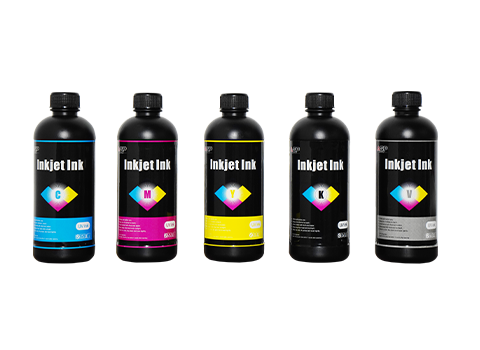
- Clogged or Defective Printhead Nozzles: If one color channel (e.g., Cyan or Magenta) drops nozzles mid-print, the entire CMYK color mixing ratio shifts instantly.
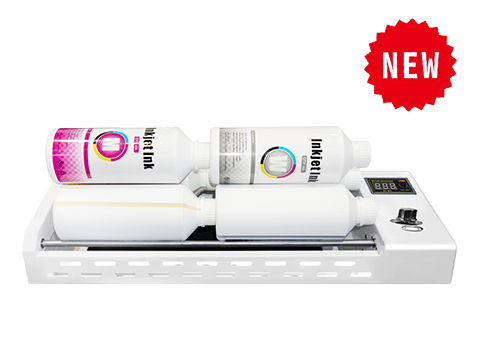
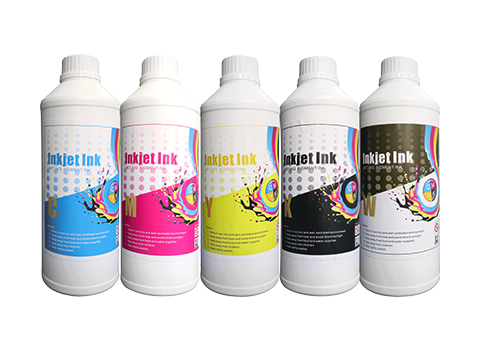
- Unstable White Ink Density: Titanium dioxide in white ink settles quickly. Weak white underbase density lets dark garment colors bleed through, causing vibrant transfers to appear dull or washed out.
- Air Bubbles in Ink Lines & Dampers: Air pockets interrupt ink delivery during high-speed printing, leading to color fading near the end of long rolls.
How Do Software Settings and ICC Profiles Cause Color Mismatches?
Conclusion: Mismatched design color spaces (RGB vs. CMYK), uncalibrated ICC profiles, and incorrect ink limit settings in RIP software distort final output colors.
1. Design Color Space Misalignment (RGB vs. CMYK)
Designers often work in sRGB or Adobe RGB (wide gamut), but DTF printers output in CMYK. Without proper RIP conversion, bright neon RGB colors drop out or print dramatically darker than expected on PET film.
2. Outdated or Incorrect ICC Profiles
Every PET film coating and DTF ink formulation absorbs ink differently. Using a generic ICC profile instead of a profile calibrated specifically for your current film/ink/printer combination results in tint shifts (e.g., neutrals leaning green or pink).
3. Excessive or Insufficient Ink Limit Settings
Setting ink volume limits too high causes ink bleeding and puddling under heat, muddying fine color transitions. Setting limits too low leads to desaturated, pale prints.
DTF Color Calibration Operator Checklist
✔
Daily Nozzle Test: Perform a nozzle check pattern print before starting morning production to verify all CMYK+W channels.
✔
Agitate White Ink Daily: Ensure auto-circulation runs for at least 15 minutes and gently shake external white ink bottles.
✔
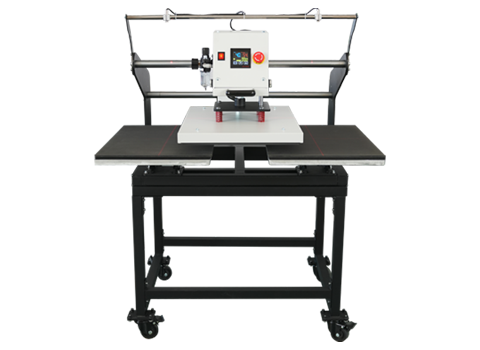
Lock Post-Press Temperature: Verify heat press plate temperature with an infrared thermometer to prevent heat-induced discoloration.
DTF Color Shift Troubleshooting Matrix
Conclusion: Identifying specific color distortion symptoms allows operators to quickly execute targeted software or hardware fixes.
| Color Problem / Symptom | Root Cause Analysis | Recommended Action / Fix |
|---|---|---|
| Prints appear dark, muddy, or desaturated | Design created in RGB mode; automatic CMYK conversion crushed gamut | Convert vector/raster files to CMYK in Photoshop before loading into RIP software. |
| Transfers look yellowish after heat pressing | Heat press temperature too high or dwell time too long (scorching white ink) | Lower temp by 10°C (145–150°C max) and use parchment paper during secondary press. |
| Colors shift gradually during long batch runs | Air bubbles in dampers or white ink pigment settling in lines | Purge damper air, perform head cleaning, and confirm white ink circulation pump is working. |
| Printed colors do not match customer sample | Generic ICC profile used; ink batch color variation | Generate a custom ICC profile using a spectrophotometer for your specific ink/film combination. |
Conclusion: Standardize Operations to Eliminate DTF Color Variations
Solving color differences in DTF printing requires a dual approach: maintaining consistent mechanical operation (nozzle integrity, white ink agitation) and enforcing precise digital color management (CMYK workflows and custom ICC profiling). By standardizing daily maintenance and heat press parameters, print shops can ensure batch-to-batch color consistency. AGP provides commercial DTF printing machines equipped with automatic white ink agitation, high-precision Epson printheads, and factory-calibrated ICC profiles. Contact our support team for color profiling assistance or hardware upgrades.
FAQ: DTF Printing Color Difference Questions
1. Why do colors look vivid on screen but dull on the printed DTF transfer?
Computer monitors emit light in RGB, which has a wider color gamut than physical CMYK inks. Vibrant neon blues or fluorescent greens on screen fall outside the CMYK printable range. Use soft-proofing in Photoshop with your RIP's ICC profile to preview realistic printed output before printing.
2. How often should I calibrate ICC profiles for my DTF printer?
You should recalibrate or generate a new ICC profile whenever you change ink suppliers, switch PET film brands, change printhead models, or notice consistent color shifts after major printer maintenance.
3. Can heat press temperature cause color shift on garments?
Yes. Overheating (e.g., pressing above 165°C / 330°F or pressing longer than 20 seconds) can scorch pigment inks, shift yellow/red hues darker, or cause dye migration on polyester fabrics where garment dye bleeds up into the printed white base.
4. How does white ink layer thickness affect CMYK colors?
If white ink underbase density drops below 70–80%, dark fabric background colors absorb light through the image, making CMYK colors appear dull or altered. Conversely, excessive white ink can bleed into CMYK edges and cause white halos or muted contrast.